










Programming kinetic lighting animations: tools and tips
A practical guide to programming kinetic lighting animations — covers core concepts, recommended software and hardware, workflow best practices, synchronization, deployment, and maintenance. Includes a software comparison table and actionable tips for designers, integrators, and venue techs.
- Programming kinetic lighting animations: tools and tips
- Why kinetic lighting matters for experiences and commercial projects
- Core concepts every programmer should know about kinetic lighting
- Essential tools for programming kinetic lighting
- Software comparison for kinetic lighting programming
- Hardware integration: motors, controllers, and sensor systems for kinetic lighting
- Best practices for programming kinetic lighting animations
- Synchronization and performance: reducing latency in kinetic lighting systems
- Testing, deployment, and maintenance for kinetic lighting projects
- FENG-YI: Kinetic lighting expertise and services
- How FENG-YI’s strengths solve common kinetic lighting problems
- Main products and core competencies in kinetic lighting
- Budgeting, procurement, and vendor selection for kinetic lighting
- FAQ — Frequently asked questions about kinetic lighting programming
- Contact and next steps — view products or get technical support for kinetic lighting
- Sources and references
- Contact CTA
Programming kinetic lighting animations: tools and tips
Why kinetic lighting matters for experiences and commercial projects
Kinetic lighting transforms static environments into dynamic, attention-grabbing experiences. For venues, brands, broadcast productions, and immersive theatre, properly programmed kinetic lighting increases audience engagement, supports storytelling, and elevates perceived value. When a client searches for kinetic lighting solutions, they usually want reliable hardware, flexible programming tools, and predictable timelines. This guide focuses on practical workflows and tools that help you deliver working installations that meet those commercial expectations.
Core concepts every programmer should know about kinetic lighting
Before choosing tools, make sure your team understands these core concepts: movement channels (motors, actuators), pixel or fixture addressing, DMX/Art-Net/sACN transport, timecode or external sync, and safety limits. Kinetic lighting projects combine mechanical motion with lighting control, so you must think in frames per second (how frequently your controller updates positions and pixel colors), torque and speed constraints for motors, and how visual effects map to physical space. A strong design starts with a clear mapping from creative idea to addressable elements.
Essential tools for programming kinetic lighting
Choosing the right toolset reduces iteration time and installation risk. Typical stacks include:
- Control protocols: DMX512, Art-Net, sACN (E1.31) — for pixel and fixture updates.
- Motor and actuator controllers: stepper drivers, servo controllers, custom CAN or RS485 motor controllers.
- Software: visual programming environments (TouchDesigner), media servers (Resolume), matrix and pixel managers (Madrix), and interactive engines (Lightjams).
- Hardware interfaces: Ethernet-to-DMX gateways, sACN nodes, pixel drivers (e.g., pixel controllers for WS281x/APA102), and real-time I/O devices.
For most modern kinetic lighting installations, you’ll combine at least one media/visual engine with dedicated motor controllers. This allows the lighting artist to prototype visuals in software, then map those visuals to both lights and motors for synchronized motion and color.
Software comparison for kinetic lighting programming
Different software suits different workflows. The table below summarizes strengths and typical use-cases for the main options used in kinetic lighting projects.
| Software | Strengths for kinetic lighting | Learning curve | Best for |
|---|---|---|---|
| Madrix | Specialized pixel mapping and effects, strong real-time control for LED matrices and kinetic pixels | Moderate — fast to get good results for pixel projects | Pixel-heavy installations, architectural façades, synchronized pixel-motor projects |
| TouchDesigner | Flexible visual programming, custom data routing, integration with sensors and motor control | Steep — very powerful for custom systems | Interactive kinetic installations, custom motion algorithms, complex audio-reactive shows |
| Resolume | Media server and VJ-style playback, easy timeline control and clip triggering | Low–moderate | Show playback, timeline-driven sequences, quick content iterations |
| Lightjams | Interactive lighting engine, node-based rules and easy DMX/pixel control | Moderate | Interactive exhibits, responsive kinetic lighting tied to sensors |
Sources: vendor documentation and product pages for Madrix, TouchDesigner (Derivative), Resolume, and Lightjams.
Hardware integration: motors, controllers, and sensor systems for kinetic lighting
Combining motion and light requires coordination between electrical, mechanical, and control systems. Key hardware considerations:
- Motor type: Stepper motors offer precise positional control and are common for kinetic lighting. Servo motors provide speed and torque advantages for larger loads. Brushless DC (BLDC) motors are used when high speed and efficiency are needed.
- Controllers and drivers: Use motor drivers matched to motor specs. For large installations, prefer distributed controllers with local intelligence to reduce cable runs and central processing load.
- Encoders and feedback: Always add feedback for repeatability — absolute encoders or incremental encoders prevent drift and enable safe homing routines.
- Power and safety: Factor in current peaks, thermal management, and emergency stops. Kinetic lighting adds mechanical risk — include limit switches and hardware interlocks.
Having a clear hardware abstraction layer in your control software simplifies switching motor models and allows the same animation to run on different physical rigs.
Best practices for programming kinetic lighting animations
Good programming practice reduces surprises during deployment. Follow these guidelines:
- Prototype visually first: Build a virtual simulation (in TouchDesigner, Madrix, or custom tools) so creatives can approve motion and color before hardware moves.
- Use modular motion units: Treat each motor or pixel cluster as an addressable module. Reuse motion presets (easing, speed profiles) across modules.
- Map temporal to spatial: Convert beat/timing information into spatial offsets. For example, use a single timeline to drive both pixel color gradients and motor positions for perfect sync.
- Keep safety envelopes: Program software limits that never command motion beyond the mechanical limits programmed in the motor controllers.
- Version control: Store your patch, cue lists, and media assets in a version control system to simplify rollbacks and updates.
Synchronization and performance: reducing latency in kinetic lighting systems
Synchronization is critical when audiences physically see both motion and light. Common issues are network latency, frame drops, and update-frequency mismatches between lighting and motion controllers. Tips to manage performance:
- Prefer sACN or Art-Net over unreliable wireless links for primary control traffic. If wireless is necessary, use robust protocols and redundancy.
- Keep update rates consistent: Pixels typically update at 30–60 Hz, but motion controllers may require faster control loops for smooth movement. Implement interpolation on the controller side to smooth motion when control frames arrive at lower rates.
- Timecode and NTP: For multisystem sync, embed SMPTE LTC/MTC or use NTP-based time synchronization and absolute timestamps.
- Network architecture: Segment networks (control vs. house network), limit broadcast domains, and use managed switches to prioritize traffic (QoS).
Testing, deployment, and maintenance for kinetic lighting projects
Thorough testing and a clear deployment plan are essential for commercial installations. Follow these steps:
- Factory acceptance testing (FAT): Run all sequences in a controlled environment to verify timing, load, and safety features.
- Staging and site acceptance testing (SAT): Replicate the installation as closely as possible on site and test with full power and expected loads.
- Operator training: Provide a concise operator manual and training session covering emergency stop, re-homing, and routine maintenance.
- Remote support and monitoring: Implement remote diagnostic access to monitor performance and push updates. Ensure secure VPN or gateway solutions for field service.
FENG-YI: Kinetic lighting expertise and services
Since its establishment in 2011, FENG-YI has been continuously innovating and has grown into a creative kinetic light manufacturing service provider with unique advantages. The company is committed to exploring new lighting effects, new technologies, new stage designs, and new experiences. Through professional Kinetic Light art solutions, we empower emerging performance spaces, support the development of new performance formats, and meet the diverse needs of different scenarios.
Located in Huadu District, Guangzhou, the company currently has 62 employees, including an 8-member professional design team and 20 highly experienced technical service staff. FENG-YI has become a High Quality user of Madrix software in mainland China, offering both on-site installation & programming as well as remote technical guidance services for Kinetic Light projects.
With a total area of 6,000㎡, FENG-YI owns China’s largest 300㎡ art installation exhibition area and operates 10 overseas offices worldwide. Our completed Kinetic Light projects have successfully reached over 90 countries and regions, covering television stations, commercial spaces, cultural tourism performances, and entertainment venues.
Today, FENG-YI is recognized as a leading kinetic lights scene solution provider in the industry, delivering innovative lighting experiences that integrate technology and creativity.
How FENG-YI’s strengths solve common kinetic lighting problems
FENG-YI combines practical engineering, creative design, and production resources that matter for clients: on-site installation capability reduces risk during handover; a professional design team improves previsualization and client communication; and a large exhibition area allows full-scale testing before deployment. Being a High Quality Madrix user helps FENG-YI deliver sophisticated pixel mapping quickly. For clients, this means faster delivery, fewer on-site surprises, and proven maintenance workflows.
Main products and core competencies in kinetic lighting
FENG-YI’s main products focus on Kinetic Lighting systems: modular motion fixtures, addressable LED pixel arrays, motor-controller units, and integrated control packages tailored for shows and permanent installations. Core competencies include system integration (mechanical + electrical + software), bespoke fixture design for scenario-specific needs, and turnkey project delivery that includes design, production, installation, and post-install support.
Budgeting, procurement, and vendor selection for kinetic lighting
Budget planning should account for three major cost areas: hardware (motors, controllers, LEDs), software and licensing (media servers, pixel management), and labor (engineering, installation, programming). A typical small-to-medium kinetic project budget breakdown might be:
- Hardware: 45–60%
- Software and licenses: 10–20%
- Labor, testing, logistics: 25–40%
Choosing partners with proven project experience reduces contingency costs. FENG-YI’s global footprint and experience across 90+ countries can be particularly valuable for international projects needing local coordination and aftercare.
FAQ — Frequently asked questions about kinetic lighting programming
Q: What software should I learn first for kinetic lighting?
A: If you focus on pixel-based installations, Madrix is an efficient choice. For interactive or highly customized systems, learn TouchDesigner. Resolume is great when timeline-based media playback is the priority.
Q: How do I synchronize motors and LEDs?
A: Use a single timeline or timecode source to generate both pixel frames and motor setpoints. If your motor controllers support interpolation, send lower-rate position targets and let the controller smooth motion.
Q: Can I run kinetic lighting on wireless networks?
A: Wireless is possible for low-criticality or temporary installs, but for reliable show playback and safety-critical motion, wired Ethernet with managed switches and redundancy is recommended.
Q: What maintenance do kinetic lighting installations need?
A: Regular checks include motor bearings and belts, encoder calibration, power supply health, cable integrity, and software updates. Schedule periodic inspections every 6–12 months depending on usage.
Q: How do I test animations before installation?
A: Use virtual simulation tools or a scaled physical mock-up. Run a FAT (Factory Acceptance Test) with all subsystems: lighting, motion, safety interlocks, and control network.
Contact and next steps — view products or get technical support for kinetic lighting
If you’re planning a kinetic lighting project and need help selecting tools, designing motion, or providing on-site programming and installation, contact FENG-YI. We offer pre-sales consultation, full-system design, on-site programming, and remote technical guidance. To discuss your project, request a demo at our 300㎡ exhibition area, or get a quote for turnkey delivery, contact our sales and technical team.
Contact us to discuss your Kinetic Lighting project, schedule an on-site demo, or request a product catalog. Our team is ready to help with design, programming, and global deployment.
Sources and references
1. Madrix product documentation and user guides — Madrix (vendor pages and manuals).
2. TouchDesigner documentation and community examples — Derivative (TouchDesigner).
3. Resolume product documentation — Resolume.
4. Lightjams documentation and application notes — Lightjams.
5. Art-Net and sACN protocol descriptions — Art-Net and E1.31 specifications.
6. Industry best practices and case studies — public project documentation and manufacturer whitepapers.
Contact CTA
Ready to start? Contact FENG-YI for a consultation or to view our kinetic lighting product lineup and exhibition demos. Our engineers can assist with on-site programming, remote guidance, and full project delivery.
Tags
waterproof stage lighting
waterproof stage lighting
Kinetic Laser light
Kinetic Laser light
380W dustproof and waterproof sealed beam lamp
380W dustproof and waterproof sealed beam lamp
kinetic light table lamp
kinetic light table lamp
kinetic light manufacturer
kinetic light manufacturer
kinetic triangle moving led light panel
kinetic triangle moving led light panel
Recommended for you
Top kinetic lights Manufacturers and Suppliers in 2026
Sustainable and eco-friendly kinetic lighting materials
Energy efficiency in kinetic lighting systems
Kinetic light sensors and motion control explained
Prdoucts Categories
Question you may concern
After-Sales Support
What is the after-sales process when a product malfunctions? How long is the repair cycle?
After-sales process:
01. The customer contacts the after-sales team (by phone/WeChat) and provides the product model, fault description, and purchase certificate.
02. Technicians conduct remote troubleshooting (e.g., guiding parameter debugging, checking circuits). If the problem cannot be solved, repair by mail or on-site repair will be arranged.
03. Repairs for products sent by mail will be completed and returned within 3-5 days after receipt (freight is borne by us). On-site repair (limited to prefecture-level cities and above) will respond within 48 hours, with a repair cycle of 1-3 days.
Customization/OEM Services
What is the production cycle for customized products? Is sample trial production supported?
The production cycle for regular customization (e.g., appearance logo, parameter fine-tuning) is 15-20 days, and the cycle for complex function customization (e.g., development of a new elevating structure) is 30-45 days. Sample trial production is supported. The sample fee is charged based on the customization cost (the fee can be deducted from the payment after bulk ordering). The trial production cycle is 7-10 days, and bulk production will start only after the customer confirms the sample is qualified.
Products
How to set the DMX starting address via the panel?
Follow these steps:
1. Press "Left" (multiple times if needed) to return to the main interface.
2. Press "Up/Down" to select "Settings", then press "OK" to enter.
3. Select "DMX Address" and press "OK" to enter edit mode.
4. Adjust the hundreds digit (e.g., 2 for address 286) with "Up/Down", press "OK" to confirm; repeat for tens (8) and units (6) digits.
5. Press "OK" again to save the address (e.g., A286) and exit edit mode.
Wedding & Parties Lighting Solutions
Are there minimum requirements for venue ceiling height and load capacity?
We recommend a clear height of ≥6–8 m (higher may be required for choreography needs). Load capacity is calculated based on point load plus safety factor. We provide structural calculations and suspension point recommendations.
You may also like
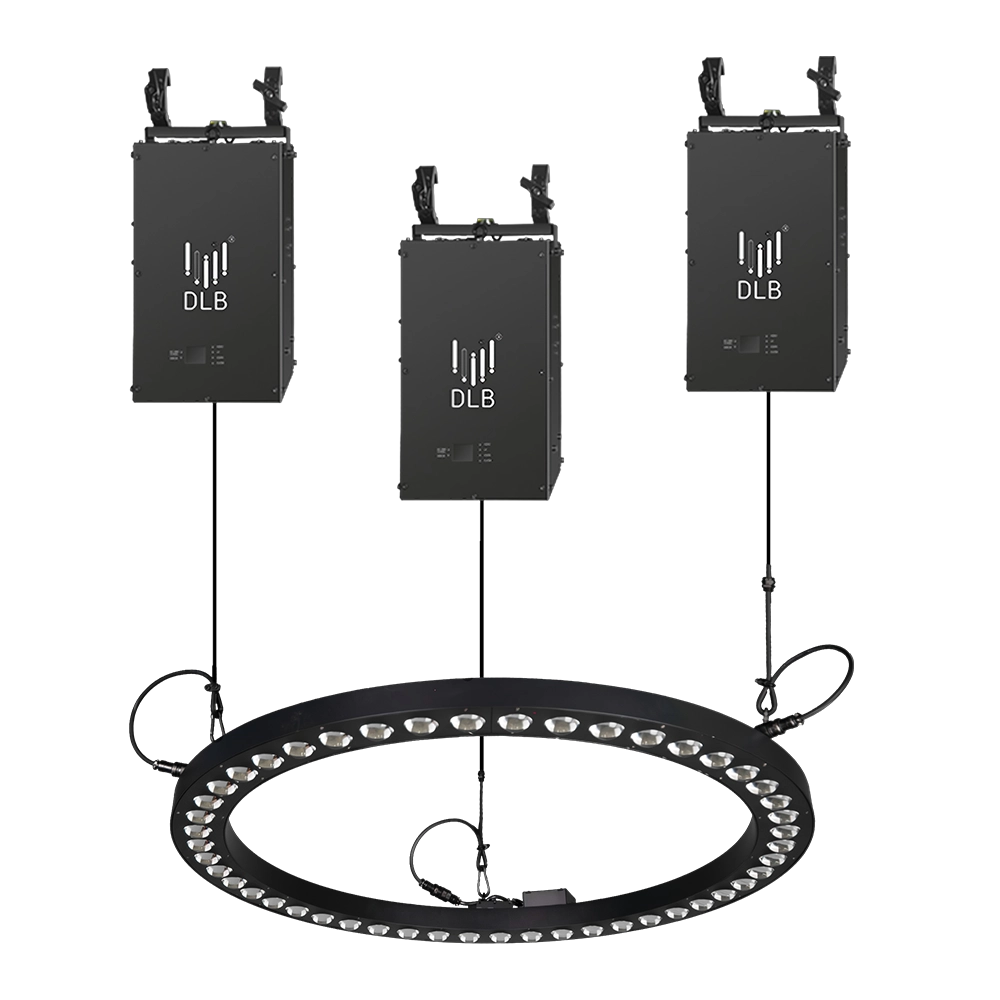
Kinetic Halo Ring——Ideal for a wide range of large-scale events: commercial spaces, TV shows, concerts, nightclubs, and various other settings.
Experience dynamic illumination with the FENG-YI Kinetic Halo Ring. This versatile kinetic light is perfect for large-scale events—commercial spaces, TV shows, concerts, and nightclubs—delivering stunning kinetic ring light effects that captivate every audience.
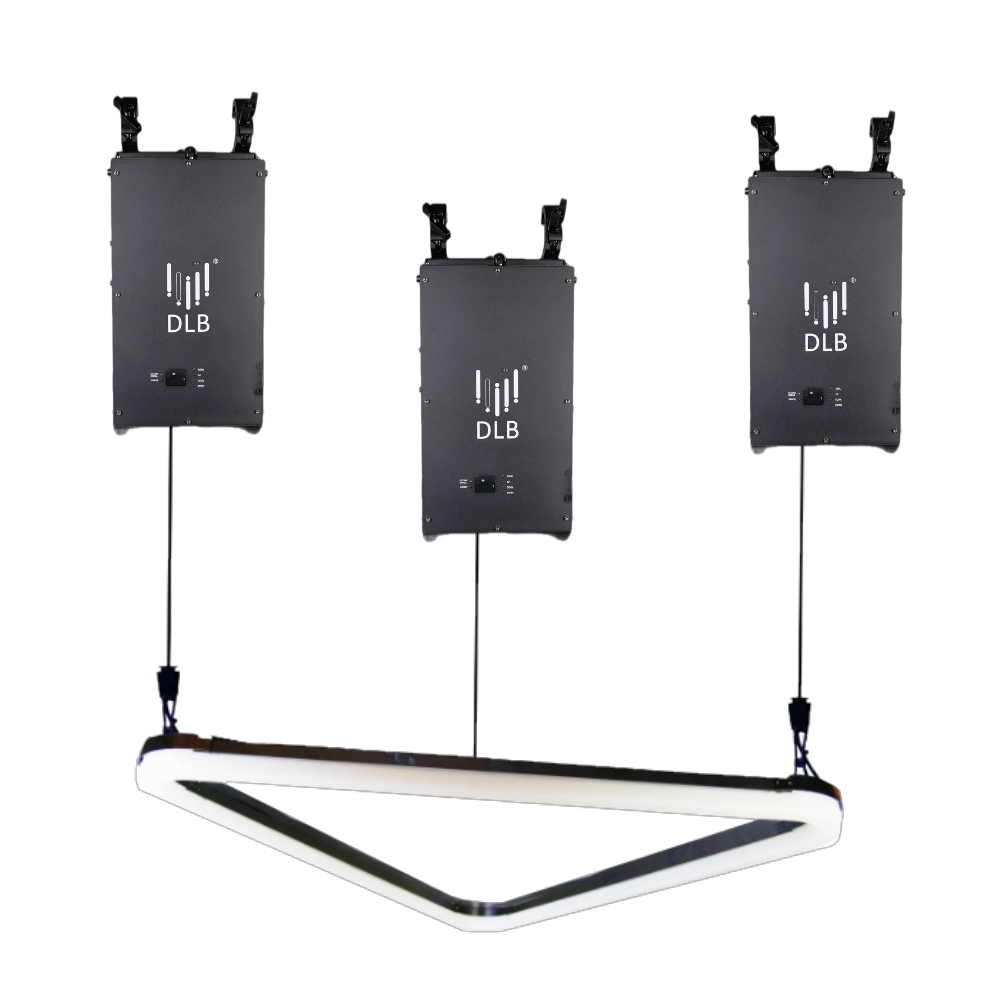
Kinetic Arc Light——Ideal for a wide range of large-scale events: commercial spaces, TV shows, concerts, nightclubs, and various other settings.
FENG-YI’s Kinetic Arc Light is a kinetic triangle LED light panel designed for large-scale events. Perfect for commercial spaces, TV shows, concerts, and nightclubs, it delivers dynamic lighting effects that captivate audiences and elevate any setting. Ideal kinetic light solution.
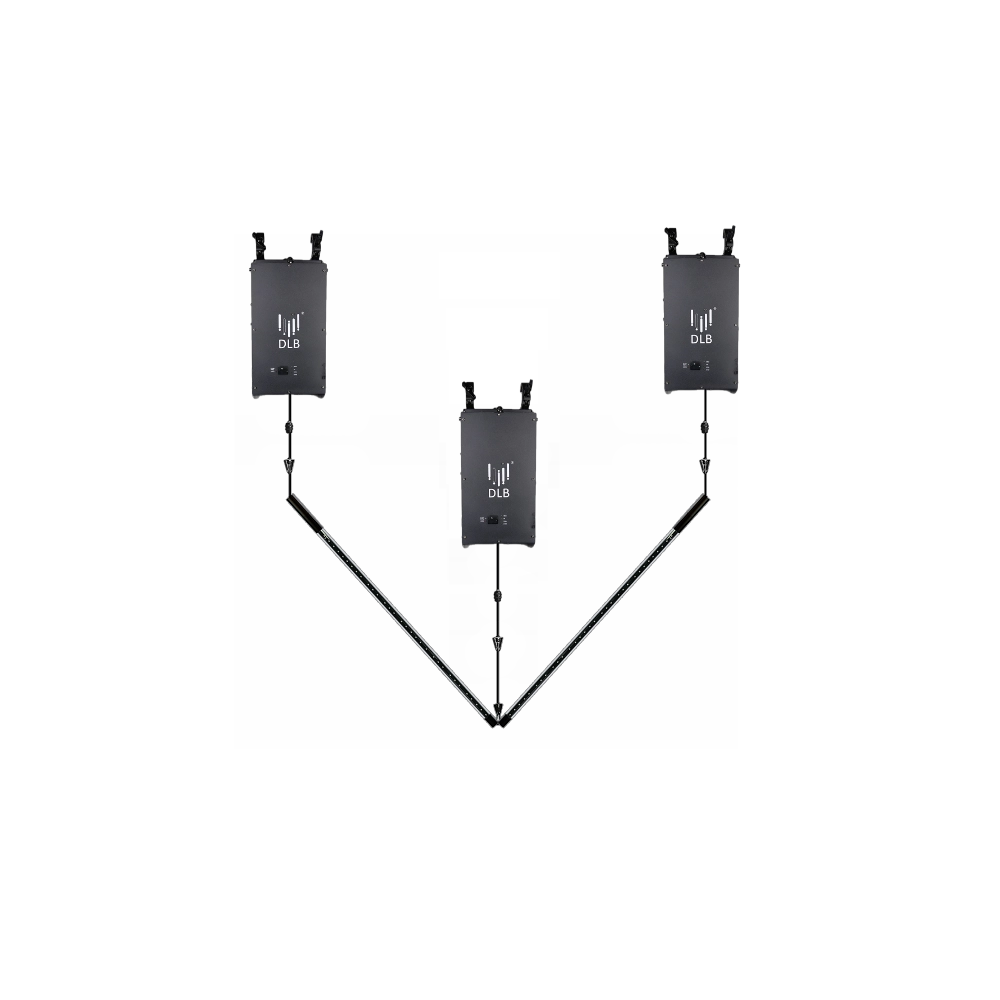
Kinetic Double Rod——Ideal for a wide range of large-scale events: commercial spaces, TV shows, concerts, nightclubs, and various other settings.
FENG-YI’s Kinetic Double Rod delivers dynamic kinetic light effects ideal for large-scale events—from concerts and nightclubs to TV shows and commercial spaces. Elevate your setup with this versatile kinetic light rod, designed for stunning visual impact and seamless integration.
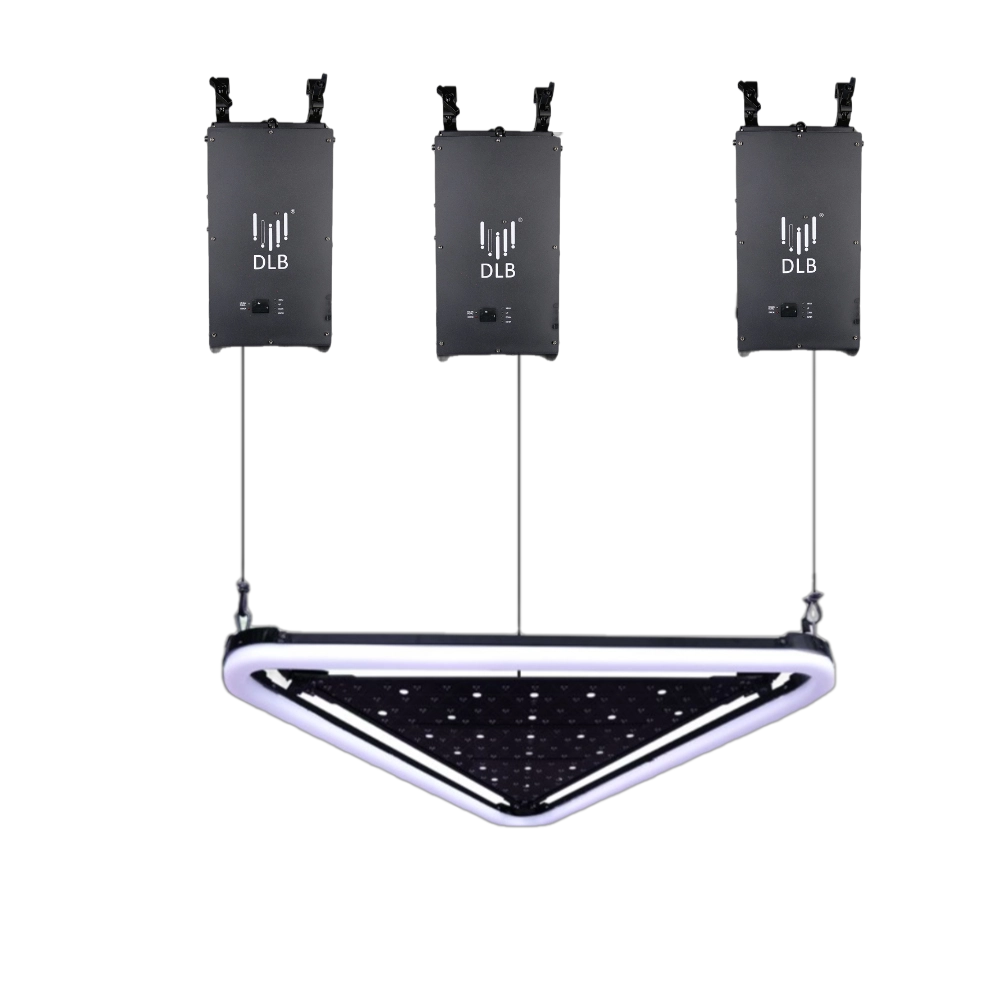
Kinetic Arc Panel——Ideal for a wide range of large-scale events: commercial spaces, TV shows, concerts, nightclubs, and various other settings.
FENG-YI’s Kinetic Arc Panel features dynamic kinetic light technology with kinetic triangle LED light panels, perfect for enhancing large-scale events like concerts, TV shows, nightclubs, and commercial spaces. Elevate your visual experience with innovative, high-impact lighting solutions.
Want to learn more about the latest updates?
Have questions or ready to illuminate your project? Reach out to our expert team today.
Rest assured that your privacy is important to us, and all information provided will be handled with the utmost confidentiality.
By clicking "Send your message," I agree to your processing my personal data.
To see how to withdraw your consent, how to control your personal data, and how we process it, please see our Privacy Policy and Terms of Use.

FENG-YI has been continuously innovating and has grown into a Kinetic Lights Manufacturer and solution provider with unique advantages.
Contact
+86 181 2785 5301
Address
Building 5, No. 34, Fuyuan Road, Jinghu IndustrialZone, Xinhua Town, Huadu District, Guangzhou, China.
© 2025 FENG-YI. All Rights Reserved.
Facebook
Instagram
YouTube
TikTok