










How to photograph and film kinetic lighting installations
Practical, step-by-step guide for photographers and filmmakers to capture kinetic lighting installations—covering planning, gear, camera settings, motion strategies, post-production, venue considerations, and a look at FENG-YI's Kinetic Lighting solutions.
- How to Photograph and Film Kinetic Lighting Installations
- Understanding kinetic lighting and your project goals
- Pre-production planning for kinetic lighting shoots
- Choosing the right camera and sensor considerations
- Lenses and framing strategies for kinetic lighting
- Photo settings: freezing versus motion blur
- Video settings: frame rate, shutter angle, and exposure
- Recommended camera settings table
- Dealing with LED flicker and PWM
- Color management and white balance for kinetic lighting
- Stabilization, rigs, and motion techniques
- Audio considerations for filmed installations
- Post-production workflow for kinetic lighting footage
- Shooting for different use cases: TV, commercial, and live performance
- Safety, permissions, and on-site collaboration
- Case example: maximizing marketing assets from a single shoot
- FENG-YI: Kinetic lighting expertise and solutions
- How FENG-YI’s strengths help photographers and filmmakers
- Deliverables and product offerings: Kinetic Lighting by FENG-YI
- FAQ — Frequently Asked Questions
- Q: What shutter speed should I use to photograph kinetic lighting?
- Q: How can I avoid flicker when filming LED kinetic lights?
- Q: Should I shoot in Log or raw when filming kinetic lighting?
- Q: What lenses work best for kinetic lighting installations?
- Q: Can FENG-YI provide technical support during my shoot?
- Contact & View Products
- Sources
How to Photograph and Film Kinetic Lighting Installations
Understanding kinetic lighting and your project goals
Kinetic lighting combines moving elements, programmable LEDs, and time-based choreography to create shifting visual experiences. Before you pick a camera or set a shutter speed, define your objectives: are you documenting an installation for archival accuracy, creating promotional stills, shooting a showreel, or producing broadcast-friendly footage? Each goal implies different choices for exposure, motion capture, and post-processing. Use the keyword “kinetic lighting” when tagging assets and metadata to improve discoverability in portfolios and for clients searching for motion-based lighting references.
Pre-production planning for kinetic lighting shoots
Effective captures begin at planning. Request the installation’s technical rider, DMX/Madrix control info, movement diagrams, and a timecode or cue list. Ask whether the kinetic lighting will run in demo mode or synchronized to music. Plan scouting time to observe motion cycles: note peak luminance moments, contrast ranges, color palettes, and typical motion velocities. This information lets you pick lenses, filters, frame rates, and whether to shoot in controlled bursts or long continuous takes. For , confirm usage rights and labeling requirements—especially if you will later use footage to showcase a vendor’s “kinetic lighting” system in promotional materials.
Choosing the right camera and sensor considerations
Sensor size and dynamic range matter for kinetic lighting. Full-frame and APS-C sensors generally provide cleaner low-light performance and wider dynamic range, which helps preserve highlight detail from bright LEDs and maintain shadow texture. For broadcast or high-resolution marketing assets, use cameras with 10+ stops of dynamic range and 4K (or higher) capture capability. Cameras with good rolling-shutter performance are preferred when recording moving elements to avoid skewed lines. If you must shoot handheld or on-site with limited rigging, prioritize a camera with in-body stabilization and good high-ISO performance.
Lenses and framing strategies for kinetic lighting
Select lenses based on scene scale and creative intent. Wide-angle lenses (16–35mm) emphasize environment and motion patterns; mid-telephoto (50–135mm) compress depth to highlight repetitions and individual moving elements; macro or long telephoto lenses isolate details such as motorized joints or LED clusters. Use fast primes if available to control depth of field and isolate elements from background light. When framing, shoot a mix of wide establishing shots, medium detail shots, and tight abstract shots focused on light movement. This range helps create a versatile package for clients and marketing use.
Photo settings: freezing versus motion blur
Photographing kinetic lighting requires choosing between freezing motion and conveying movement through blur. For frozen, crisp images, use shutter speeds of 1/250s or faster for fast-moving elements; slow-moving systems may be frozen at 1/125–1/200s. For motion blur to show trajectories, try 1/8–1/30s and pan with the motion when appropriate. Use spot metering for subjects with extreme contrast (bright LEDs against dark backgrounds), and bracket exposures to preserve highlight detail. Always shoot RAW for maximum post-processing latitude with color and dynamic range.
Video settings: frame rate, shutter angle, and exposure
Video choices control perceived motion. Standard cinematic motion is 24fps with a 180-degree shutter angle (shutter speed = 1/(2*fps)), which gives natural motion blur. For smoother motion when capturing fast-moving kinetic elements consider 60fps or above (with corresponding shutter speeds). If you intend to use slow-motion to analyze movement, record at higher frame rates (120fps) if your camera supports it. Use manual exposure to prevent the camera from hunting in low light; lock ISO and aperture once the correct exposure is set. When shooting kinetic lighting with LED flicker concerns, test for PWM (pulse-width modulation) flicker at different shutter speeds and frame rates.
Recommended camera settings table
The table below summarizes practical camera settings based on motion speed. Values are starting points and should be adjusted for scene brightness and creative intent.
| Motion Speed | Photo Shutter Speed (starting) | Video Frame Rate | Suggested Shutter (Video) |
|---|---|---|---|
| Slow (gentle sweeps) | 1/30 – 1/125s | 24 – 30 fps | 1/48 – 1/60s (180° rule) |
| Medium (noticeable motion) | 1/125 – 1/250s | 30 – 60 fps | 1/60 – 1/120s |
| Fast (rapid movements) | 1/250s and faster | 60 – 120 fps | 1/120 – 1/240s |
Source references for shutter/frame rules: camera manufacturers and industry guides (see sources list).
Dealing with LED flicker and PWM
Many kinetic lighting systems use LED modules controlled by pulse-width modulation (PWM). PWM can create flicker artifacts in footage when camera shutter speeds interact with control frequency. To diagnose flicker, record short test clips across a range of shutter speeds and frame rates while the installation runs. If flicker occurs, solutions include: matching camera frame rates to multiples of the PWM frequency, increasing shutter speed beyond the PWM visible range, using high-speed cameras with global shutters, or working with the lighting programmer to adjust PWM rates or dimming curves (if possible). For commercial shoots, request temporary low-PWM or flicker-free modes from the installation team where available.
Color management and white balance for kinetic lighting
Kinetic lighting often cycles through saturated colors and changing white points. Shoot in RAW/Log where possible and capture a neutral reference (grey card or color checker) under a consistent cue to aid color grading. If capturing for broadcast or promo, record a sequence with reference charts at the beginning of the take. When color fidelity matters (product shots, brand alignments), coordinate with the lighting programmer to hold a representative color and white balance during critical captures. When delivering assets, provide both graded and raw versions to clients to accommodate different use cases.
Stabilization, rigs, and motion techniques
For moving shots, use stabilized camera systems: gimbals, sliders, motorized dollies, or cranes. When you need to follow kinetic elements precisely, a motorized gimbal with subject-tracking can help maintain composition while revealing motion paths. For ultra-smooth long takes, consider time-lapse or motion-control rigs that can reproduce repeatable moves for multiple exposures. When equipment is limited, mono-pods and careful handheld technique combined with high shutter speeds can still yield professional results.
Audio considerations for filmed installations
Although kinetic lighting is primarily visual, audio can add important context in film documentation. Capture room ambience, cue audio, and any music used to time the lights. Use directional mics for cue tracks and lavalier mics for interviews with designers. For broadcast assets, sync and deliver separate audio stems as required by post-production teams.
Post-production workflow for kinetic lighting footage
Organize files by take, cue, and camera. Use timecode or slate marking for multi-camera shoots. For color grading, start with primary exposure and white balance corrections, then proceed to secondary color treatments to preserve intended color relationships between kinetic lighting elements and environment. For stabilization in post, prefer optical-flow methods sparingly to avoid artifacts on moving lights. For stills, merge bracketed exposures for HDR images to preserve both LED highlights and dark surroundings. Deliver masters in high-bitrate formats (ProRes, DNxHR) and export web-friendly H.264/HEVC versions for online portfolios and clients.
Shooting for different use cases: TV, commercial, and live performance
Requirements vary by use-case. Broadcast and TV often need locked exposure and color, closed captions for accessibility, and format compliance (e.g., 10-bit color, specific codecs). Commercial promo work may emphasize stylized grading and slow-motion reveals. Live performance/documentation benefits from a multi-camera approach: wide stage, mid-stage, and close-up coverage to capture both spectacle and mechanics. Confirm delivery specs with producers and platform technical requirements early to avoid rework.
Safety, permissions, and on-site collaboration
Working near kinetic moving elements requires strict safety protocols. Coordinate with rigging and technical teams to define safe positions, no-go zones, and emergency stop procedures. Always wear appropriate PPE when required. Obtain written permission for shooting, especially if installations are in public or ticketed spaces, and clarify commercial usage rights for the footage and photos you capture. Label assets that depict proprietary designs with agreed credit language—include “kinetic lighting” and the installation provider’s name if requested by contract.
Case example: maximizing marketing assets from a single shoot
Plan a day that captures a mix of deliverables: still hero shots, 4K showreel clips, slow-motion details, and time-lapse sequences. Use pre-programmed cues to produce repeatable moments for multiple exposures and camera angles. Create a shot list that prioritizes high-value deliverables first (hero image, 30–60s showreel) so you still have them if the installation schedule changes. Log metadata meticulously—include scene descriptions, cue numbers, and timestamps to simplify editing and client approvals.
FENG-YI: Kinetic lighting expertise and solutions
Since its establishment in 2011, FENG-YI has been continuously innovating and has grown into a creative kinetic light manufacturing service provider with unique advantages. The company is committed to exploring new lighting effects, new technologies, new stage designs, and new experiences. Through professional Kinetic Light art solutions, we empower emerging performance spaces, support the development of new performance formats, and meet the diverse needs of different scenarios.Located in Huadu District, Guangzhou, the company currently has 62 employees, including an 8-member professional design team and 20 highly experienced technical service staff. FENG-YI has become a High Quality user of Madrix software in mainland China, offering both on-site installation & programming as well as remote technical guidance services for Kinetic Light projects.With a total area of 6,000㎡, FENG-YI owns China’s largest 300㎡ art installation exhibition area and operates 10 overseas offices worldwide. Our completed Kinetic Light projects have successfully reached over 90 countries and regions, covering television stations, commercial spaces, cultural tourism performances, and entertainment venues.Today, FENG-YI is recognized as a leading kinetic lights scene solution provider in the industry, delivering innovative lighting experiences that integrate technology and creativity.
How FENG-YI’s strengths help photographers and filmmakers
FENG-YI’s integrated capabilities in design, programming (including Madrix expertise), and on-site installation reduce production friction for visual teams. When shooting installations by FENG-YI, photographers and filmmakers benefit from: coordinated cue lists, accessible tech staff for troubleshooting LED PWM/flicker, pre-arranged demo modes for ideal capture windows, and dedicated exhibition space (300㎡) for test shoots. These advantages translate into cleaner captures, shorter shoot times, and assets that faithfully represent the intent behind the kinetic lighting design.
Deliverables and product offerings: Kinetic Lighting by FENG-YI
FENG-YI develops modular kinetic lighting systems, programmable LED arrays, and motion-control frameworks. Their core competencies are technical choreography, software integration (Madrix), and scalable solutions from small commercial spaces to large broadcast and entertainment venues. For clients seeking to buy or commission kinetic lighting, FENG-YI can provide tailored solutions, from concept design to installation, programming, and post-installation technical support, enabling content creators to capture high-quality stills and footage with predictable behavior and professional support.
FAQ — Frequently Asked Questions
Q: What shutter speed should I use to photograph kinetic lighting?
A: It depends on motion speed and creative intent. For freezing fast motion, start at 1/250s or faster. For conveying motion, try 1/8–1/30s and pan with the subject. Always bracket and shoot RAW to retain flexibility.
Q: How can I avoid flicker when filming LED kinetic lights?
A: Test across shutter speeds and frame rates to identify flicker. Use global-shutter cameras or match frame rates to PWM frequencies where possible. Coordinate with the lighting technician to adjust PWM or enable flicker-free modes if available.
Q: Should I shoot in Log or raw when filming kinetic lighting?
A: Yes. Shooting in Log (video) or RAW (photo) preserves dynamic range and color detail, giving you more latitude in grade and ensuring better preservation of intense highlights from LEDs.
Q: What lenses work best for kinetic lighting installations?
A: Use a range: wide (16–35mm) for environment and patterns, 50–135mm for compression and rhythm, and long or macro lenses for detail. Fast primes help control depth of field and low-light performance.
Q: Can FENG-YI provide technical support during my shoot?
A: Yes. FENG-YI offers on-site installation & programming and remote technical guidance services for Kinetic Light projects. Their technical teams can assist in reducing flicker, timing cues, and enabling demo modes for capture.
Contact & View Products
If you’d like assistance planning a shoot or to explore Kinetic Lighting products from FENG-YI, contact our team to arrange technical previews, demo modes, and production support. View product portfolios and project case studies, or request on-site installation & programming to ensure your visual assets meet professional and commercial standards.
Sources
- B&H Explora — Guides on shutter speed and photographing motion
- Canon Learning Center — Basics of shutter speed and frame rate
- Nikon Learn & Explore — Exposure and motion techniques
- DPReview — Camera performance and rolling shutter considerations
- Adobe Blog / Premiere Pro documentation — Frame rate and shutter angle practicals
- Madrix — Lighting control and pixel mapping background (company documentation)
Tags
Kinetic Cloud-shaped lamp
Kinetic Cloud-shaped lamp
kinetic LED display panels
kinetic LED display panels
kinetic LED light fixture
kinetic LED light fixture
led kinetic lighting tube
led kinetic lighting tube
Dynamic
Dynamic
Kinetic Laser light
Kinetic Laser light
Recommended for you
Top Waterproof Profile Light Types Compared
Case studies: memorable kinetic light installations
Kinetic lighting control systems and software comparison
Retrofit Waterproof Profile Light Options for Renovations
Prdoucts Categories
Question you may concern
Products
The fixture does not respond to the DMX controller. How to fix it?
Resolve with these checks:
1. DMX Address & Channels: Ensure the fixture’s starting address is correct (e.g., 34CH fixture 1: A001, fixture 2: A035) and the controller’s channel count ≥ total fixture channels.
2. Signal Wiring: Use shielded twisted-pair DMX cables (≤150m); install a 120Ω terminal resistor between pins 2-3 of the last fixture’s XLR connector.
3. Signal Amplification: For cable lengths >150m, add a DMX signal amplifier to avoid signal loss; separate DMX cables from high-voltage power cables (≥1m apart) to prevent interference.
The fixture overheats and shuts down. What should I do?
Resolve overheating issues:
1. Environment Check: Ensure the operating temperature ≤60℃; move the fixture away from heat sources (e.g., stage heaters) and ensure 50cm clearance around the fan grille.
2. Fan Maintenance: Clean the fan and fan grille with compressed air (remove dust buildup); check if the fan runs when the fixture is powered on (replace fan if silent).
3. Protection Threshold: Enter "Settings → Temperature Protection" to adjust the threshold (default 60℃, max 80℃) if the environment requires higher operating temperatures.
Nightclub Lighting
Can the lighting, screens, and other equipment be combined to achieve integrated sound, lighting, and visuals?
Programming is possible through Madrix and MA consoles, using timecode synchronization to achieve a precise "programmed show" effect.
After-Sales Support
What is included in the product warranty scope? How to handle human-induced damage (e.g., falling, water ingress)?
Warranty scope: Hardware faults caused by non-human factors (e.g., motor failure, lamp bead non-illumination, light control failure). The whole machine is warranted for 1 year, LED lamp beads for 2 years, and core components of the elevating structure (e.g., hydraulic pump, motor) for 2 years. For human-induced damage, a cost fee will be charged for repairs (e.g., replacing the elevating motor requires charging the motor cost + repair fee). The after-sales team will first provide a fault detection report and repair quotation, and repairs will start only after the customer confirms.
You may also like
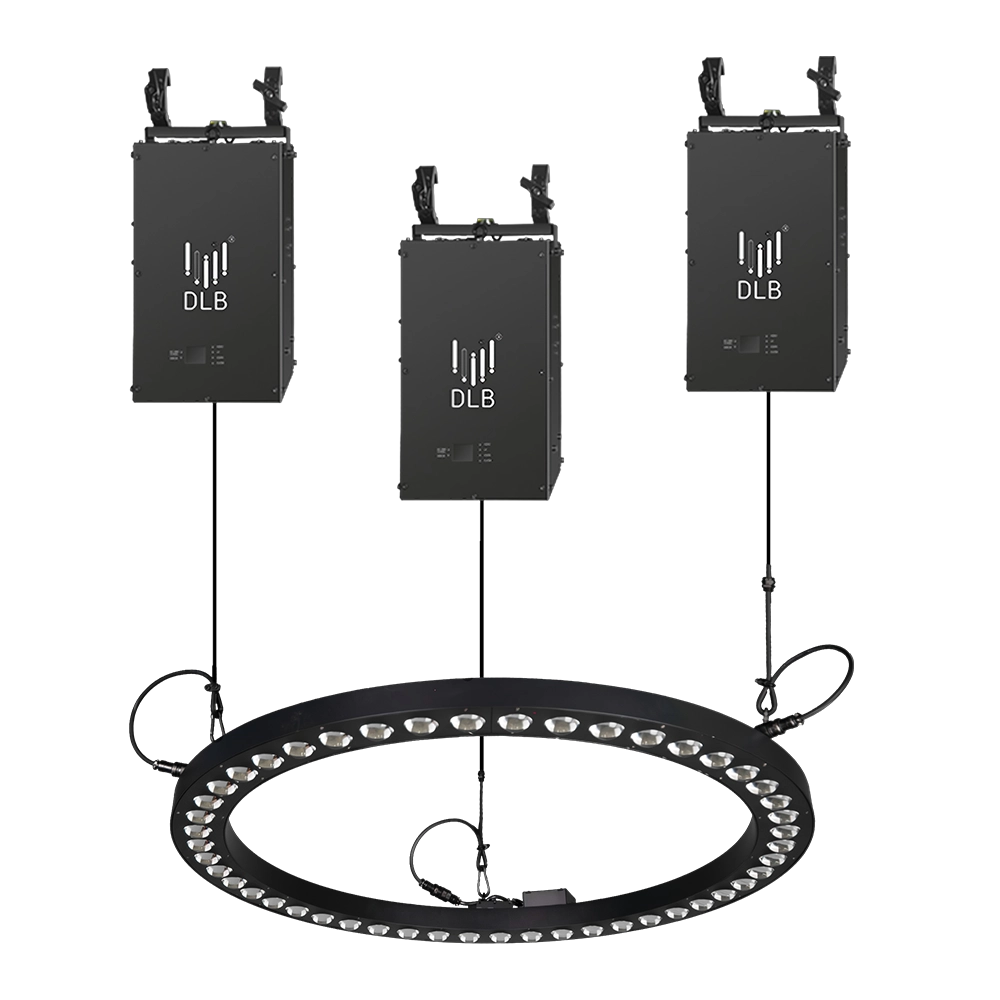
Kinetic Halo Ring——Ideal for a wide range of large-scale events: commercial spaces, TV shows, concerts, nightclubs, and various other settings.
Experience dynamic illumination with the FENG-YI Kinetic Halo Ring. This versatile kinetic light is perfect for large-scale events—commercial spaces, TV shows, concerts, and nightclubs—delivering stunning kinetic ring light effects that captivate every audience.
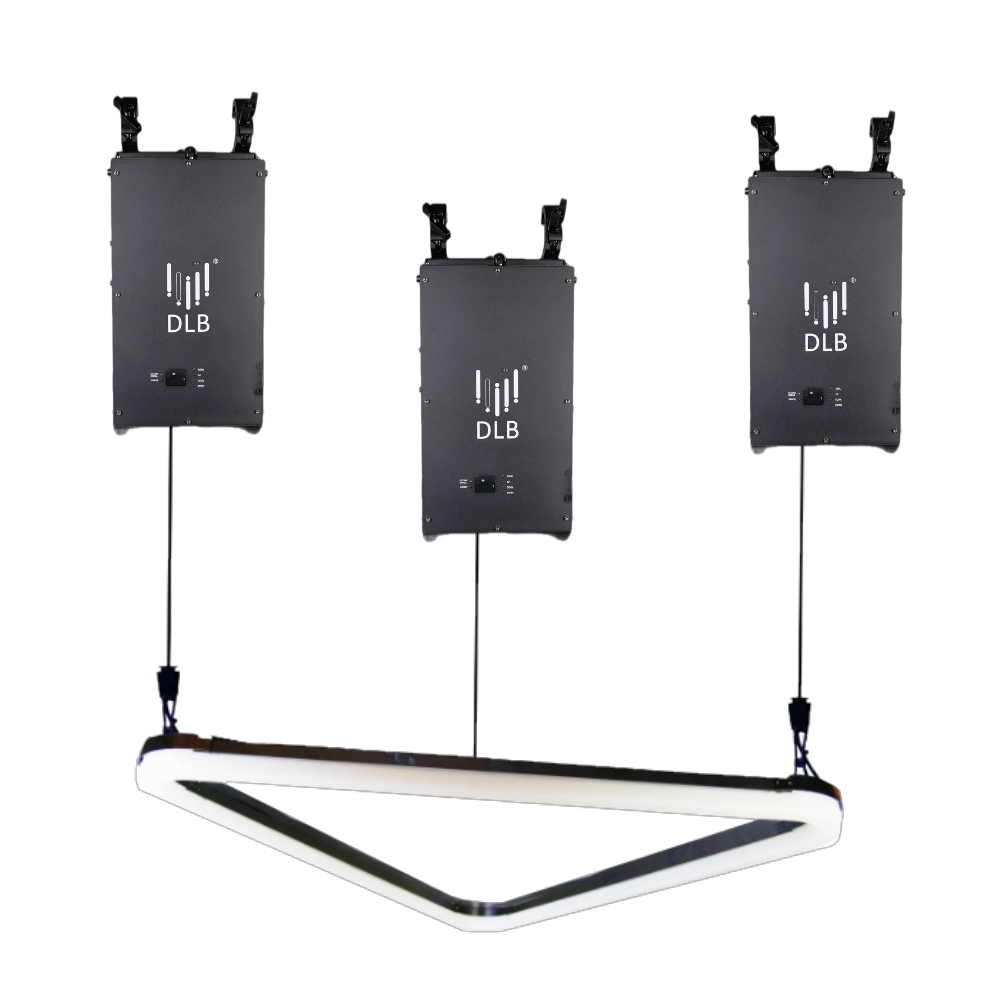
Kinetic Arc Light——Ideal for a wide range of large-scale events: commercial spaces, TV shows, concerts, nightclubs, and various other settings.
FENG-YI’s Kinetic Arc Light is a kinetic triangle LED light panel designed for large-scale events. Perfect for commercial spaces, TV shows, concerts, and nightclubs, it delivers dynamic lighting effects that captivate audiences and elevate any setting. Ideal kinetic light solution.
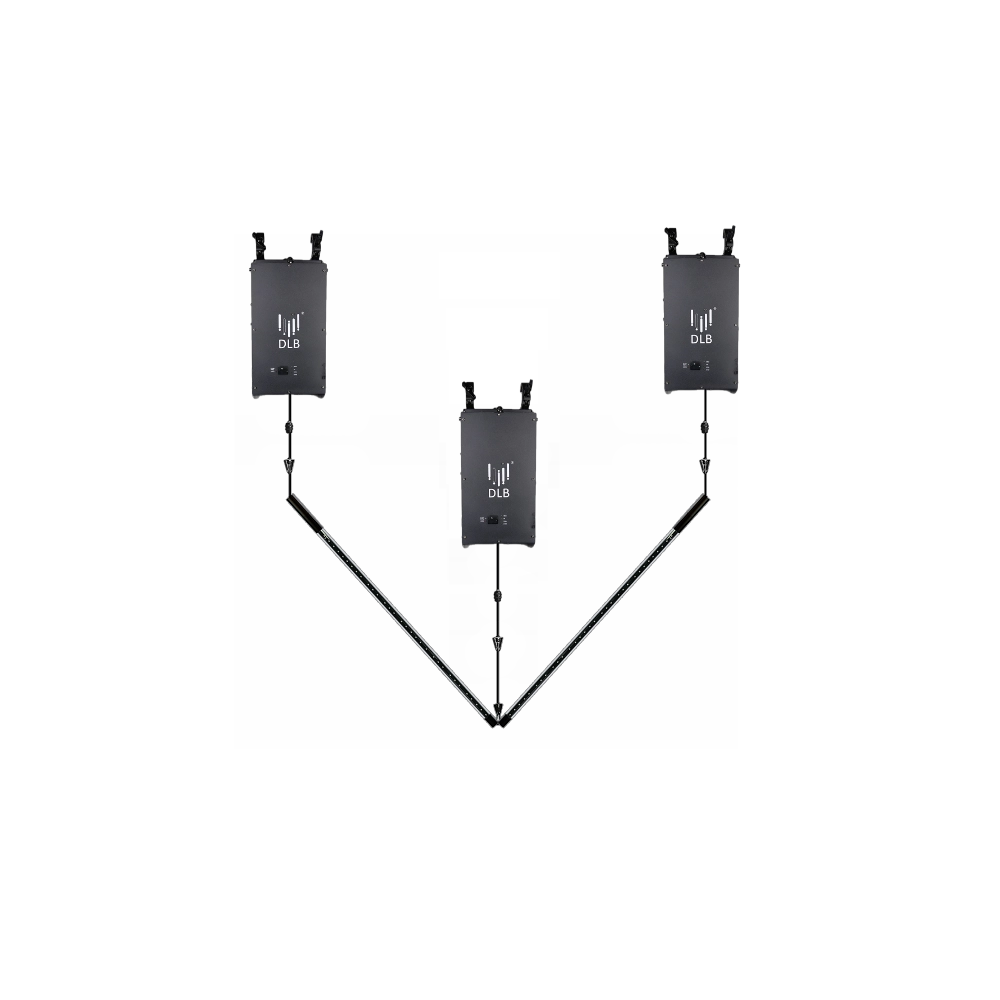
Kinetic Double Rod——Ideal for a wide range of large-scale events: commercial spaces, TV shows, concerts, nightclubs, and various other settings.
FENG-YI’s Kinetic Double Rod delivers dynamic kinetic light effects ideal for large-scale events—from concerts and nightclubs to TV shows and commercial spaces. Elevate your setup with this versatile kinetic light rod, designed for stunning visual impact and seamless integration.
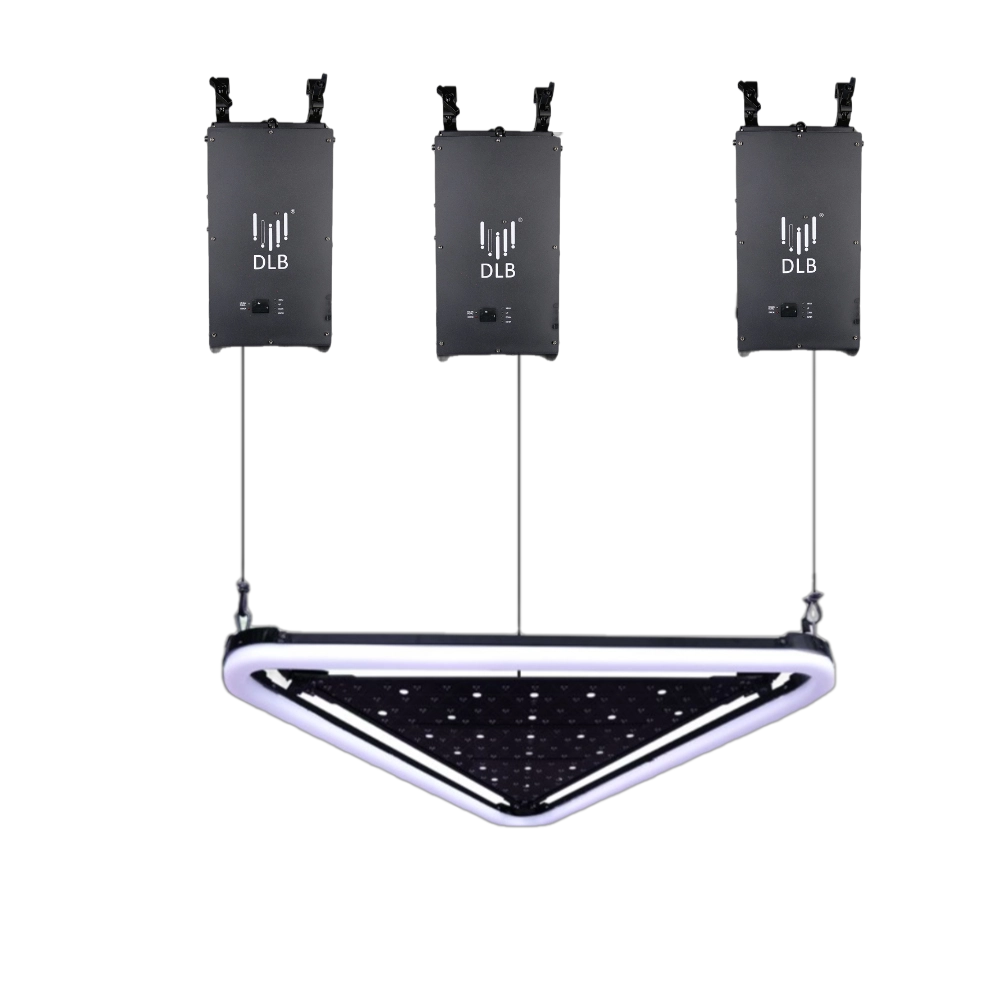
Kinetic Arc Panel——Ideal for a wide range of large-scale events: commercial spaces, TV shows, concerts, nightclubs, and various other settings.
FENG-YI’s Kinetic Arc Panel features dynamic kinetic light technology with kinetic triangle LED light panels, perfect for enhancing large-scale events like concerts, TV shows, nightclubs, and commercial spaces. Elevate your visual experience with innovative, high-impact lighting solutions.
Want to learn more about the latest updates?
Have questions or ready to illuminate your project? Reach out to our expert team today.
Rest assured that your privacy is important to us, and all information provided will be handled with the utmost confidentiality.
By clicking "Send your message," I agree to your processing my personal data.
To see how to withdraw your consent, how to control your personal data, and how we process it, please see our Privacy Policy and Terms of Use.

FENG-YI has been continuously innovating and has grown into a Kinetic Lights Manufacturer and solution provider with unique advantages.
Contact
+86 181 2785 5301
Address
Building 5, No. 34, Fuyuan Road, Jinghu IndustrialZone, Xinhua Town, Huadu District, Guangzhou, China.
© 2025 FENG-YI. All Rights Reserved.
Facebook
Instagram
YouTube
TikTok